Class booking for independent studios and gyms

Class booking that takes care of itself, so you can teach.

Members book and pay on their phone, whenever it suits them. You see every class and every Rand at a glance. And the app carries your studio's name, logo and colours, not ours.

Built in South Africa, with card payments in Rand through Paystack. It works in a browser and on iOS and Android.

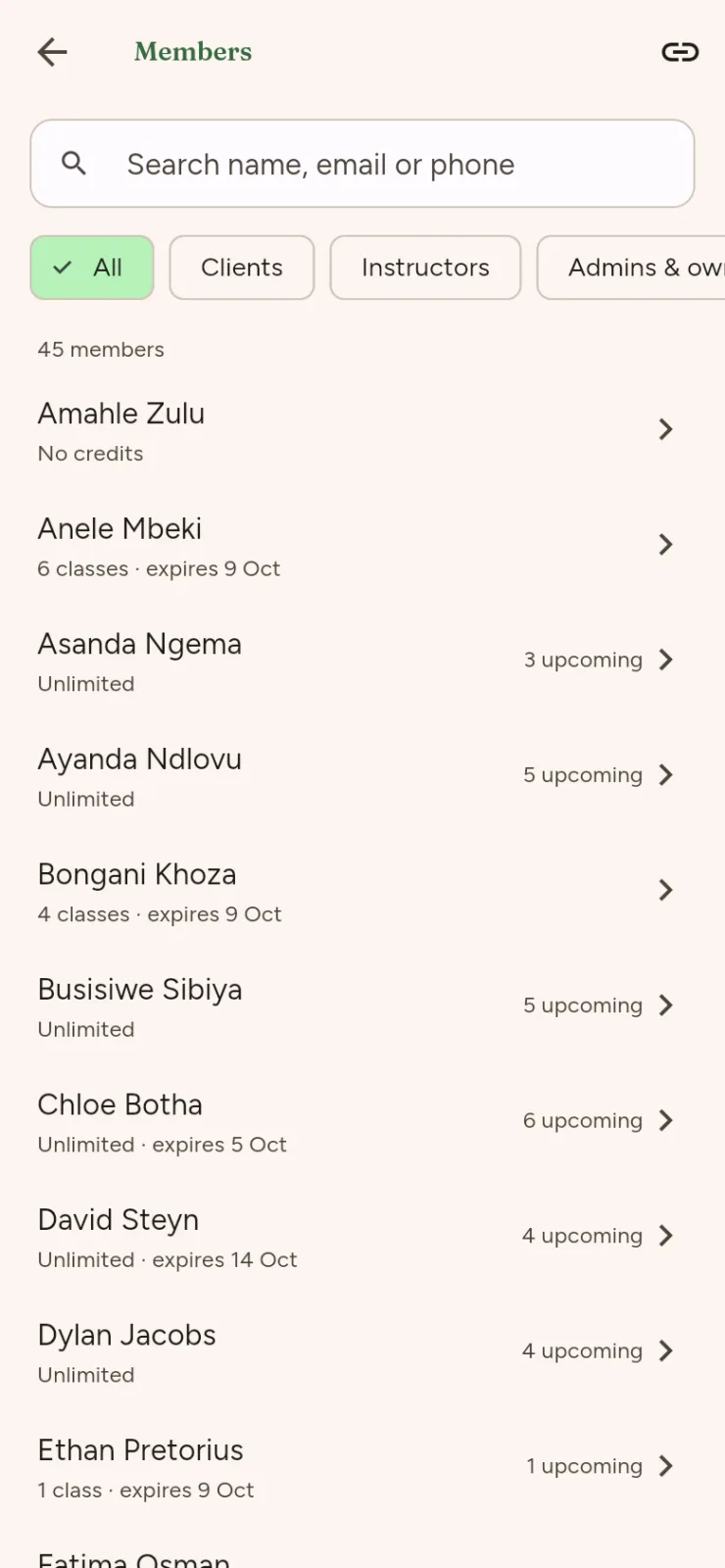
Classy schedule on a phone: a week of days and the day's classes, with times, instructors and spots left.

Made for independent studios and gyms like yours

  • Yoga
  • Pilates
  • Barre
  • Gym & HIIT
  • Spin
  • Boxing
  • Dance
  • Pottery
  • and any class with a timetable

Classy in 30 seconds

Take a quick look around

A short tour in seven scenes that plays on a loop. A member books a class on their phone in a few taps and gets confirmation straight away. They pay for a pack once, and Classy counts every class. The studio runs its timetable and sees what it earned each month, all in its own name, logo and colours. The last scene has a button to book a demo. Use the controls to pause, play or step through the scenes.

  1. Members book a class in a few taps.

  2. No messages back and forth.

  3. They pay once, and Classy counts every class.

  4. You run the timetable. Members do the rest.

  5. See exactly what you earned, every month.

  6. Your name, logo and colours, not ours.

  7. Less admin, more time for your classes.

    Book a demo

What you get

The admin, handled

No more WhatsApp lists or “is there still space at six?” messages. Classy keeps track of who's in each class and what you've earned, so you don't have to.

Bookings

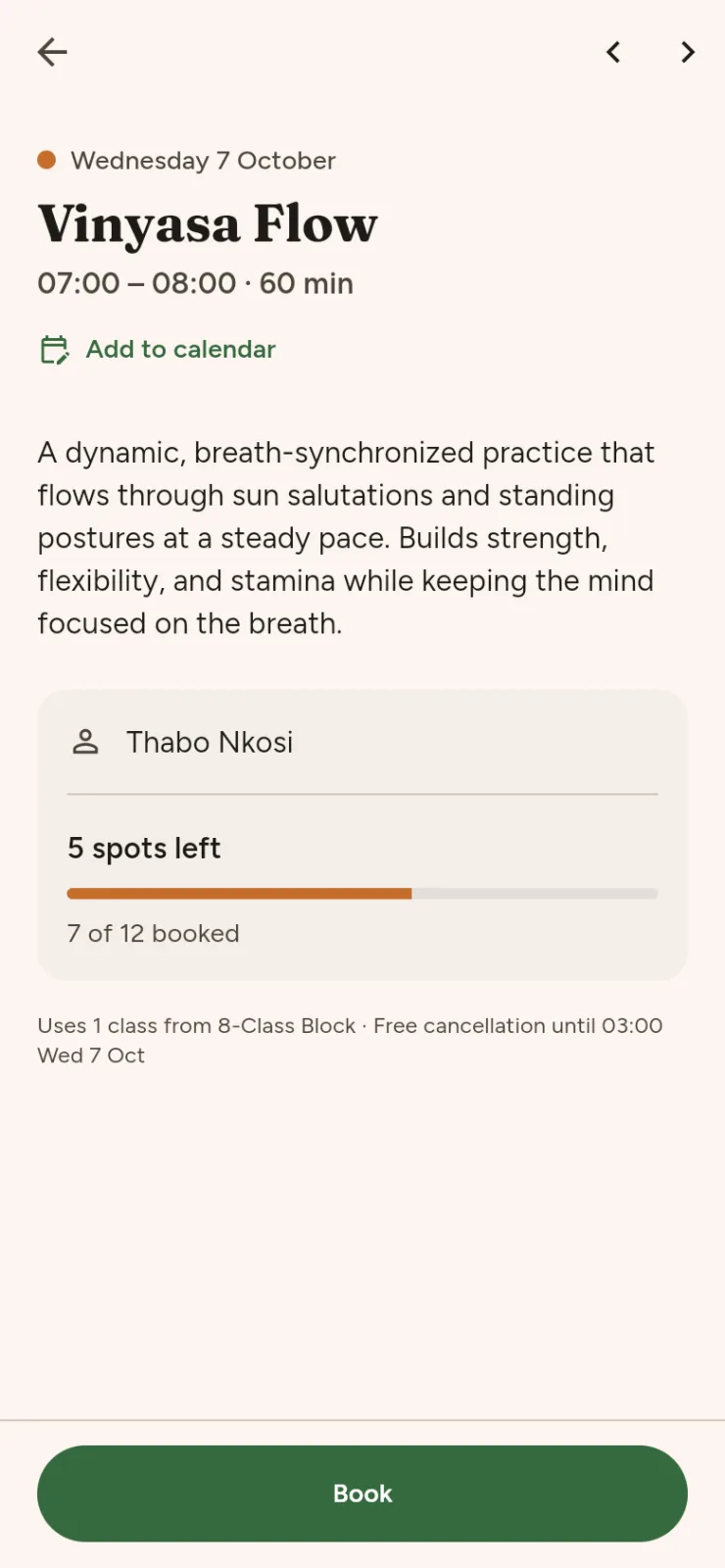
Members book their own classes

Add your classes to the timetable, and members browse, book and cancel on their phone. A class can never be overbooked, so nobody turns up to find there's no space for them.

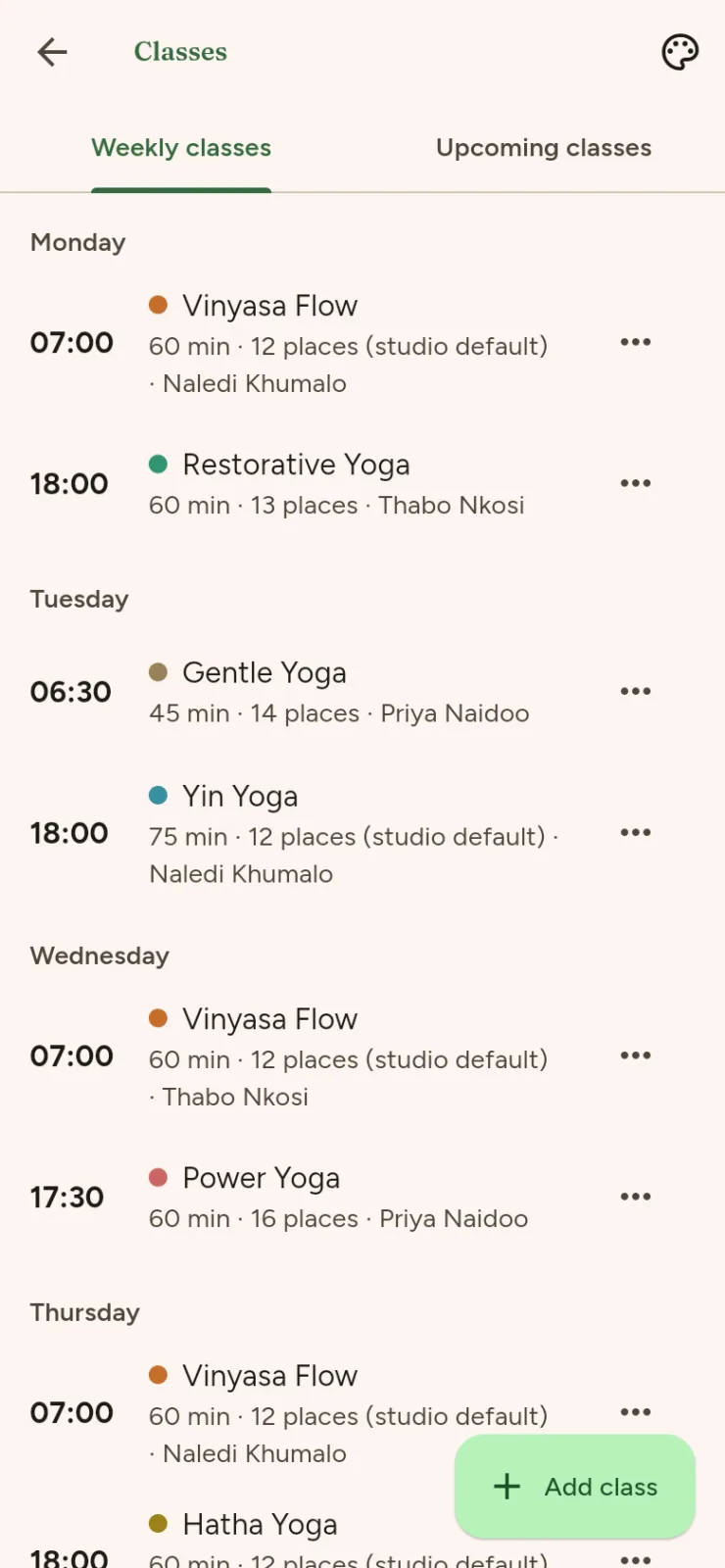
  • Set up weekly or one-off classes with a class size and an instructor, then edit or cancel them whenever you need to. You'll see who's booked into each class, and you can add or remove people yourself.
  • When a class fills up, members can join the waitlist. If a spot opens up, Classy offers it to the next person.
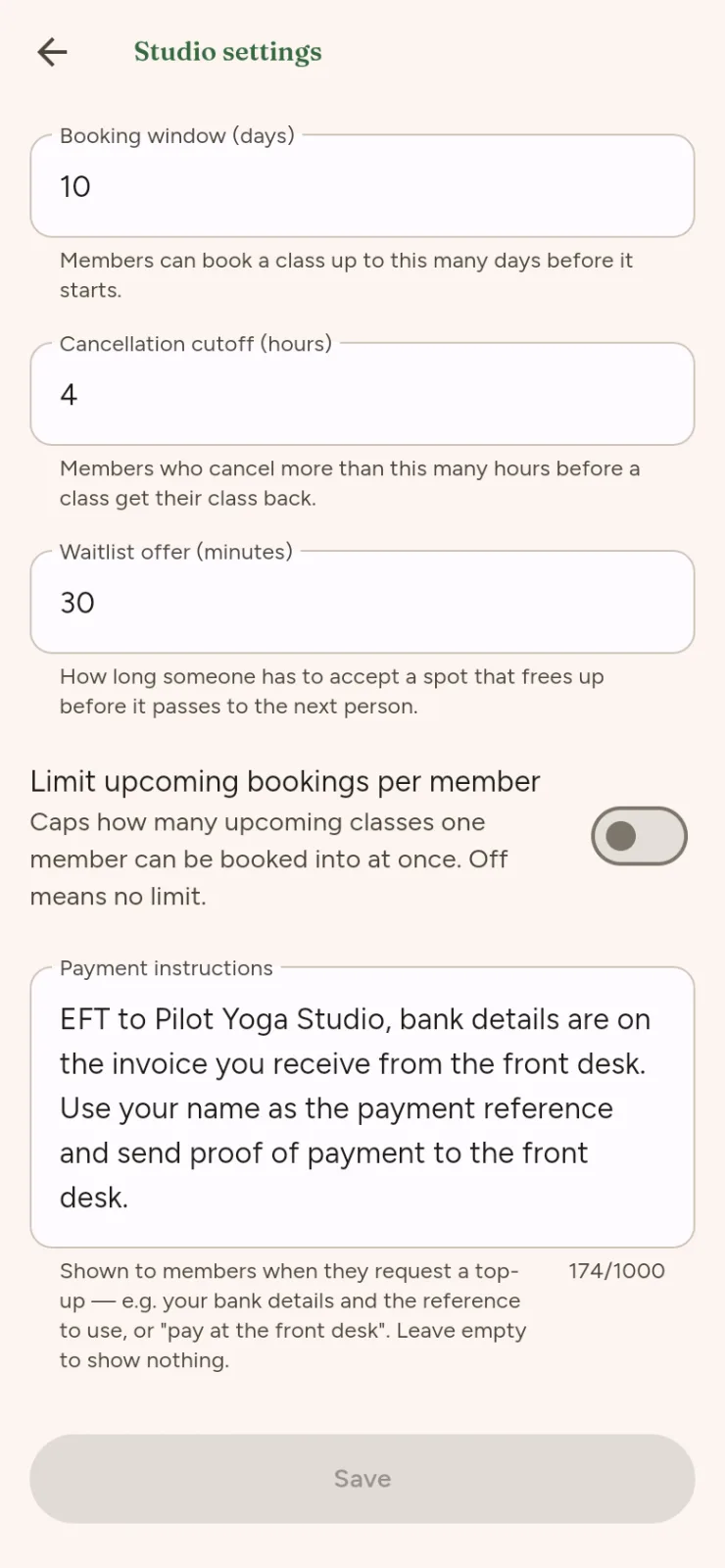
  • You set the rules, like how far ahead members can book and your cancellation cutoff, and Classy applies them the same way for everyone.
A class on a phone, with its description, instructor and a button to book or join the waitlist.
What members see
The studio's class list on a phone, with weekly and one-off classes the owner can edit.
What you manage
The studio settings on a phone: booking window, cancellation cutoff and waitlist offer time.
Your rules

Payments

They pay once. Classy counts every class.

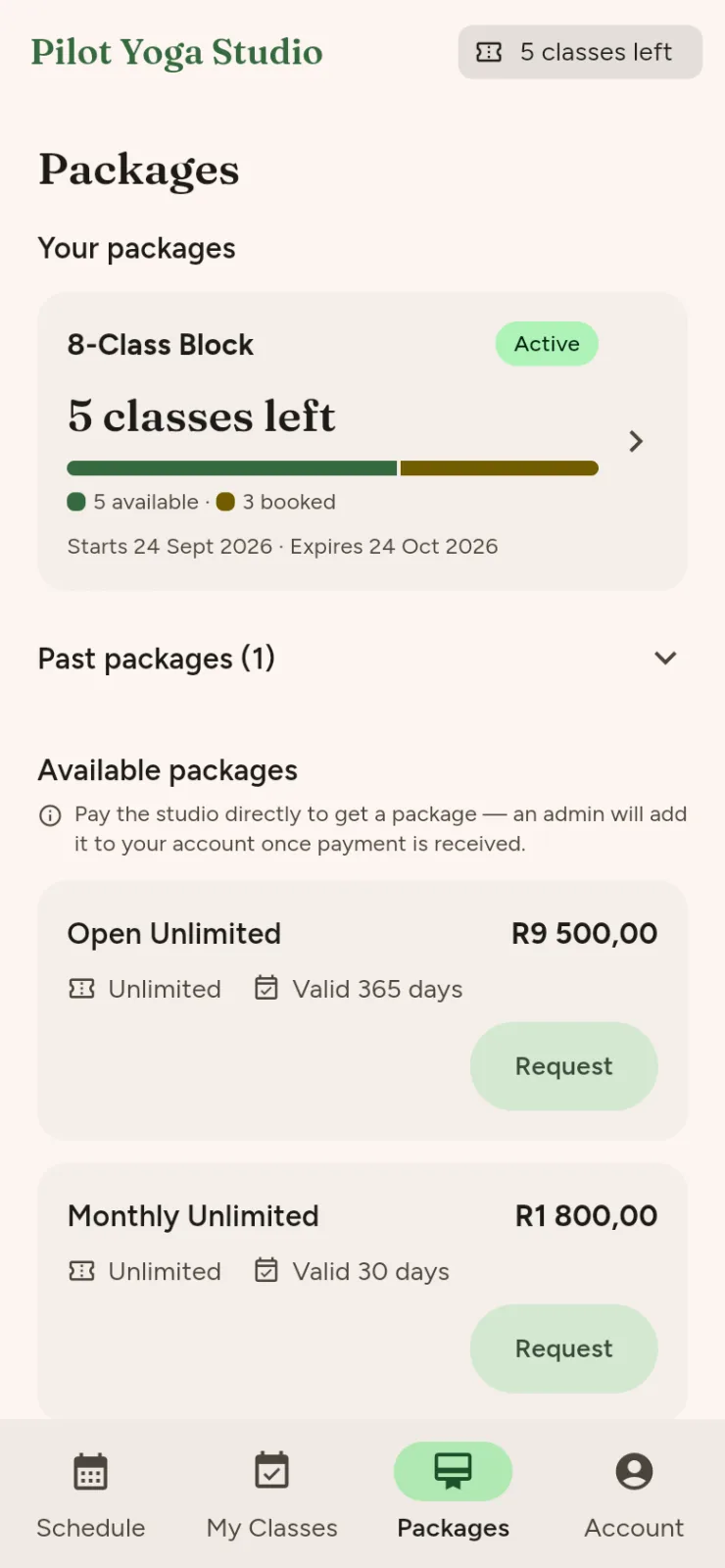
Say goodbye to punch cards and counting classes in a spreadsheet. You sell class packs, like a 10-class pack or a monthly pack. Members can pay online by card through Paystack, and your share goes straight into your bank account. Or they pay you in person or by EFT, and you approve the pack with one tap.

  • When a member books, one class comes off their pack. If they cancel before your cutoff, they get it back. After the cutoff, it counts as used.
  • Packs can expire after a set number of days. Once a pack has expired or run out, it can't be used to book.
  • You and your members both see the classes left, booked and used, so nobody has to keep count.

We switch on online payments studio by studio, and we'll set them up for you.

The class packs screen on a phone, with a member's classes left and the packs they can buy.
What members buy

Income

Know exactly what you earned

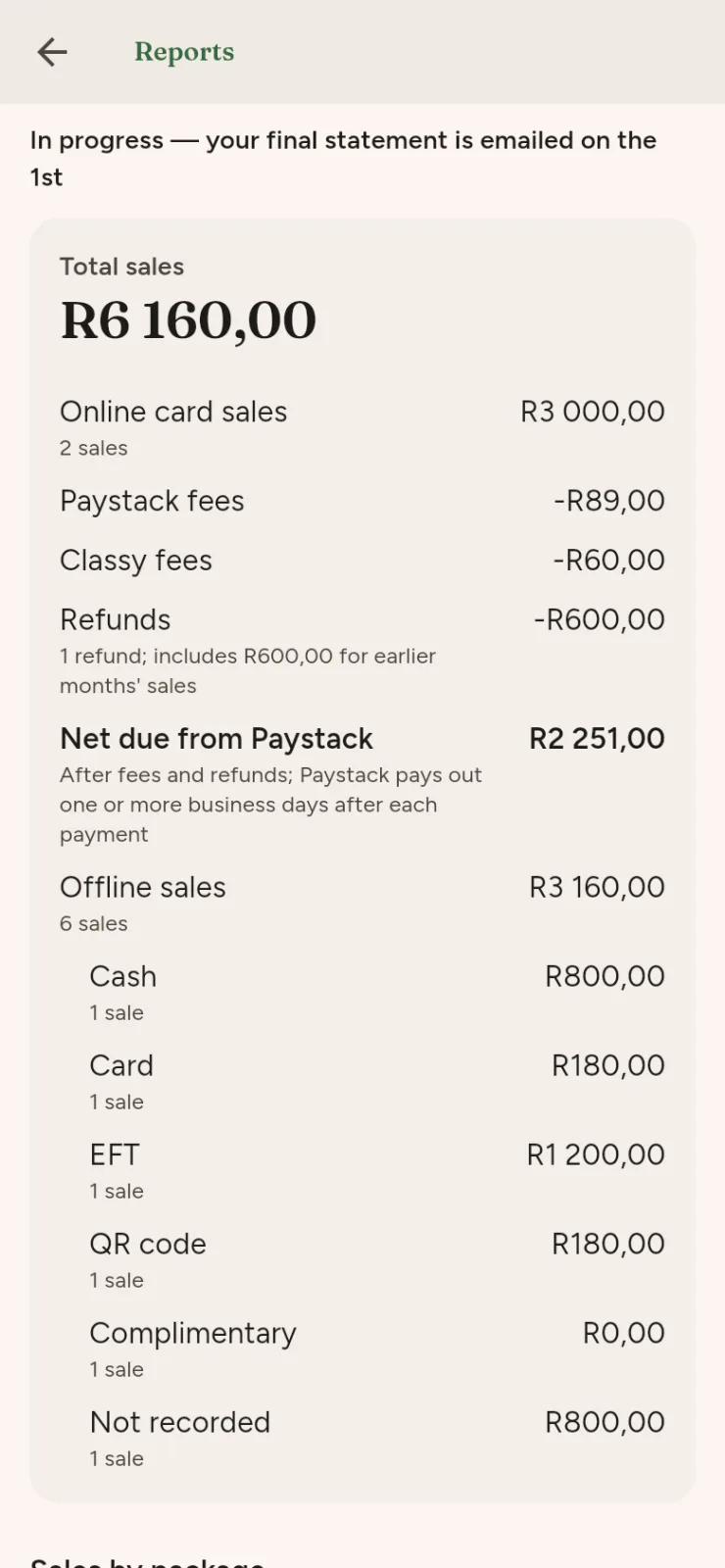
When the month ends, the sums are already done. Owners and admins get a Reports screen for every month, showing exactly what came in.

  • Online card sales are shown separately from in-person sales, which are split by method: cash, card, EFT, QR code or free.
  • Sales are broken down by pack too, so you can see which packs people buy.
  • For every month with sales, we email your owners and admins a PDF and CSV statement, handy for your bookkeeper.
The Reports screen on a phone: a month's sales, sales by payment method and sales by package.
What you see

Also included

And all the little things

  • Team roles

    Owners, admins and instructors each get just the access they need, and nothing more.

  • Instructor class lists

    Instructors see the class lists for their own classes, and can add or remove people themselves.

  • Member search and history

    Look up any member to see their packs and class history.

  • Notices to members

    Post a notice when the timetable changes or you have news to share.

  • Your branding

    The app carries your name, logo and colours, and we set it all up for you.

  • Public timetable

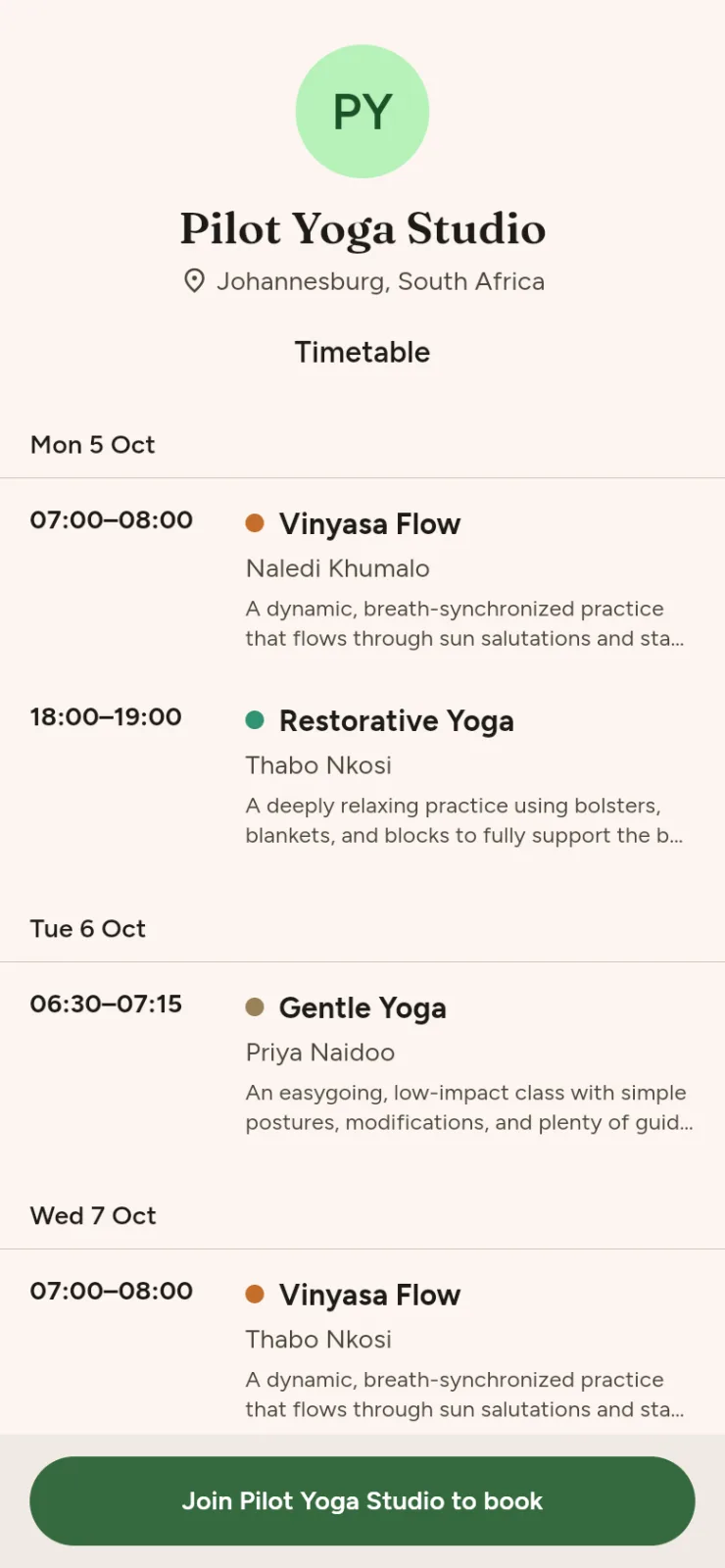
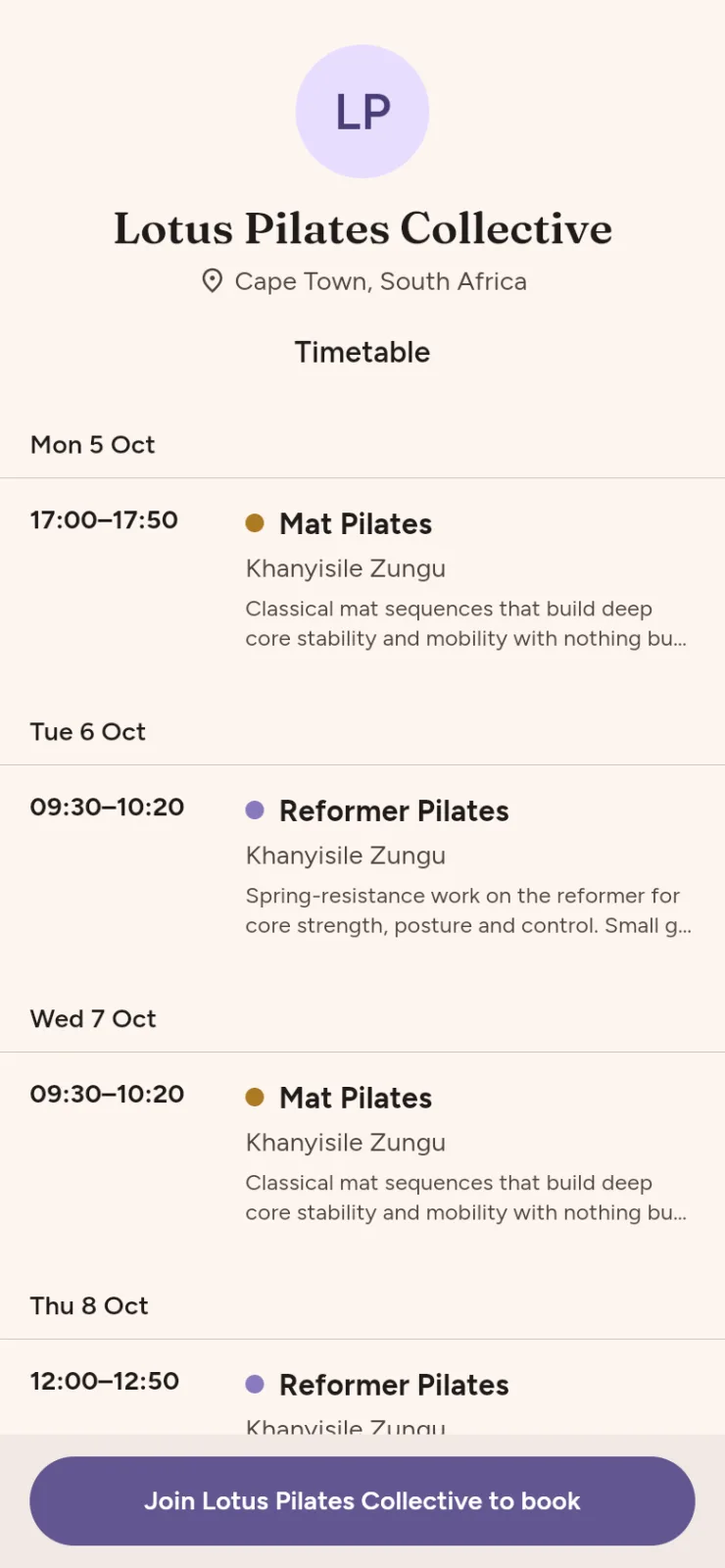
    Your studio gets its own public timetable page with a “Join to book” button, plus a sign-up link you can share anywhere.

  • Separate studios

    Your classes, members and payments are kept completely separate from every other studio.

  • No passwords

    Members sign in with a 6-digit code sent to their email, or with Apple or Google. There's no password to forget.

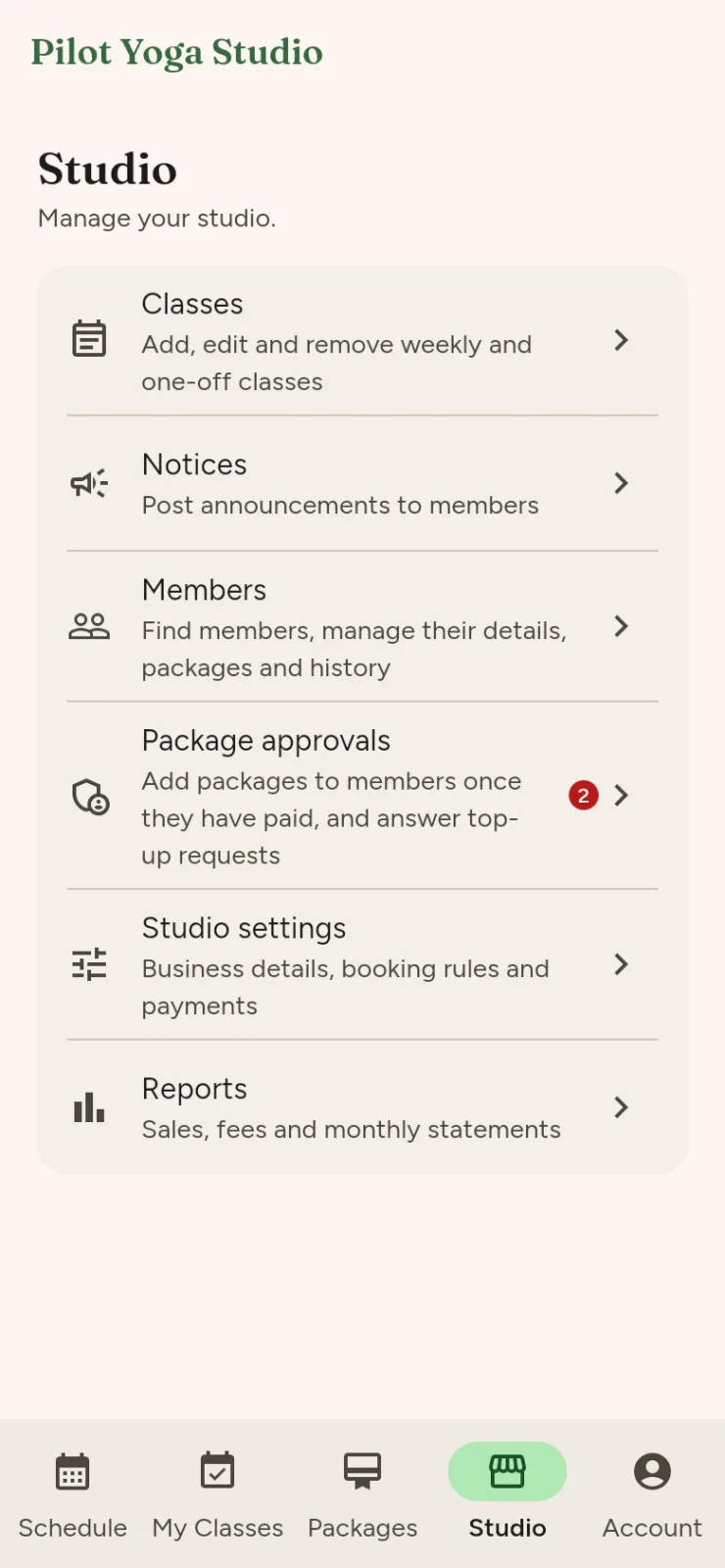
The studio menu on a phone, with links to classes, notices, members, pack approvals, settings and reports.
Your studio hub
The member list on a phone, with a search box and each member's details.
Member search
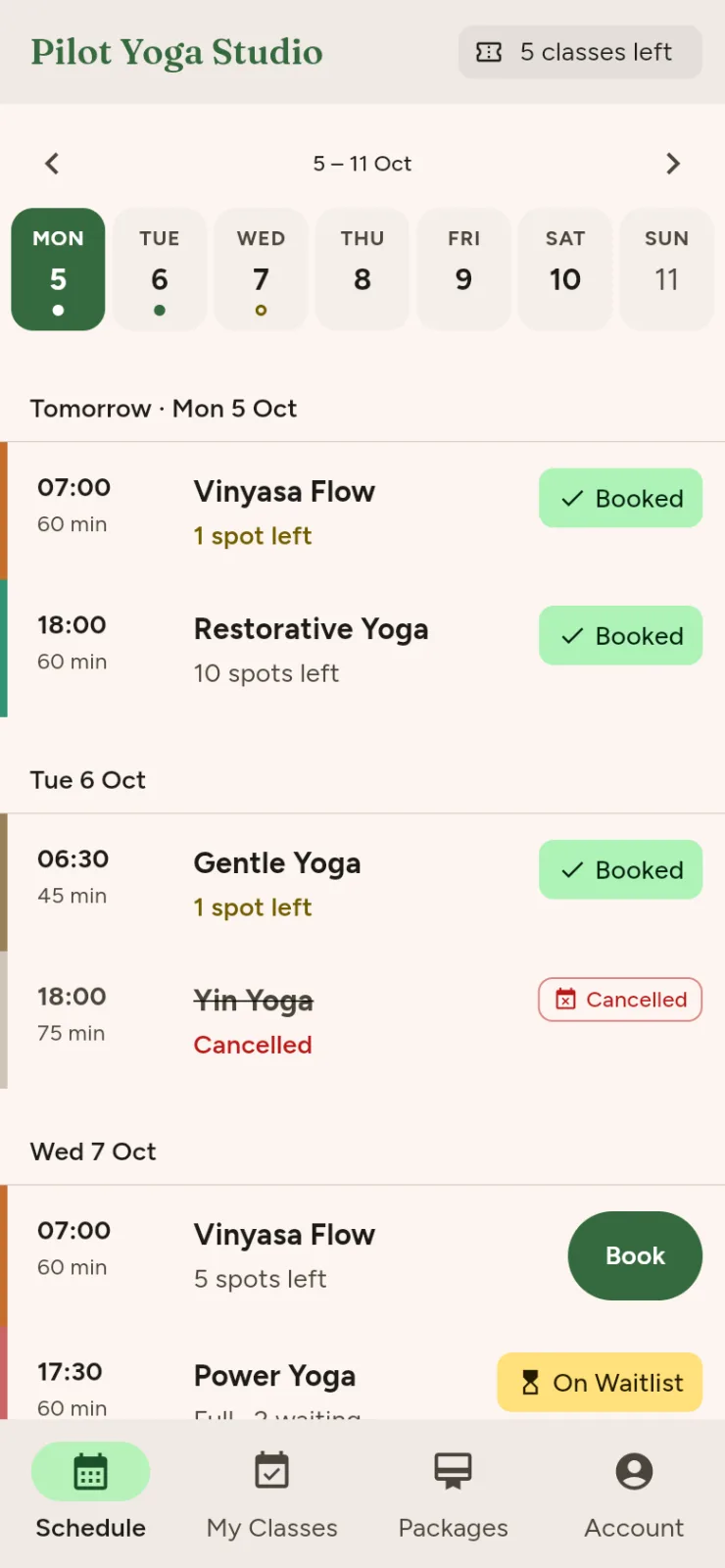
Pilot Yoga Studio's public timetable on a phone, in green, with its logo, classes by day and a join button.
Pilot Yoga's branding
Lotus Pilates Collective's public timetable on a phone, in purple, with its logo, classes by day and a join button.
Lotus Pilates' branding

Getting started

We'll set it up with you

You won't be left to figure it out on your own. We set up every studio ourselves, together with you.

  1. We have a quick chat

    You tell us how your classes run: your class packs, your cancellation rules and how people pay you today.

  2. We get everything ready

    We load your timetable, class packs, rules, logo and colours, and invite your team. If you'd like online payments, we connect Paystack too.

  3. You share your link

    Send your members the sign-up link, and add your public timetable to Instagram or your website. They sign up and start booking, and you're up and running.

For your members

Your members will love it too

Members can sort out their own bookings whenever it suits them, without waiting for a reply. They book, cancel, buy packs and check how many classes they have left, so they rarely need to message you.

  • Booking at any hour

    A member who decides at 11pm to come to class tomorrow can book right then, without messaging anyone.

  • Buying a pack

    They can pay for a pack online by card and book straight away. Or they can ask you for a top-up and pay another way.

  • Classes left

    They always know how many classes they have left, booked and used, and when their pack expires.

Questions

Questions you might have

What devices does it work on?

Classy works in any modern web browser, on a phone, tablet or computer, and there are iOS and Android apps too. It's all one booking system, so a class booked on one device shows up on the others.

How do my members pay?

Members buy class packs. They can pay online by card through Paystack, and your share goes straight into your bank account. Or they can pay you in person or by EFT, and once the money's in, you approve the pack in the app. Use whichever suits you, or both.

I already have members. Can I bring them across?

Yes. Send them your sign-up link, and they sign in with their email. You can then add class packs to their accounts. When we set you up, we'll talk through how to carry over packs they've already paid for.

How does setup work?

We do it with you. After a quick chat, we load your classes, class packs, rules, logo and colours, and invite your team. If you want online payments, we connect Paystack as well. There are no forms to fill in and nothing for you to build.

What does it cost?

It depends on your studio, so get in touch and we'll give you a straight answer. Online card payments carry Paystack's fee plus a small Classy fee, and we'll explain both up front.

Is Classy for gym memberships?

No. Classy is made for scheduled classes and class packs, so it doesn't do open-gym memberships, door access or debit orders. If you need those, talk to us and we'll tell you honestly whether Classy fits.

Is there anything Classy doesn't do yet?

Yes, a few things, and we'd rather you hear it from us now.

  • Messages go out by email only, for now. There are no push notifications or SMS yet.
  • There's no check-in or attendance marking yet. Class packs work without it, because a class comes off the pack at booking and your cancellation cutoff decides whether it comes back.
  • You can't change your own logo and colours yet, so we do that for you.

If one of these is a deal-breaker for you, let us know.
Let's give you your time back.

We'll show you around the app, hear how your classes run and tell you what it would cost.

Book a demo